How to Update GB WhatsApp Without Losing Chats
Updating GB WhatsApp is something every user needs to do on a regular basis. The official WhatsApp client updates itself automatically through the Play Store, but GB WhatsApp is a third-party app, so updates are manual. The good news is that updating is a quick and simple process, and if you follow the right steps, you will not lose a single chat. In this guide from gbapkpure.com, we walk you through the entire update process from start to finish and explain how to keep your messages, media, and settings safe.
Why Updating GB WhatsApp Matters
Skipping updates is one of the most common mistakes GB WhatsApp users make. The app is updated regularly for several important reasons.
Updates typically include:
- New features
- Anti-ban improvements
- Security patches
- Bug fixes
- Performance optimizations
- Compatibility updates for new Android versions
When you skip an update, you miss out on improvements that other users are already enjoying. Worse, you can leave yourself exposed to bugs or ban detection that the developers have already fixed. The 2026 version of GB WhatsApp, for example, includes an updated anti-ban engine that earlier builds do not have. Staying current keeps you protected.
Before You Update: The Backup Habit
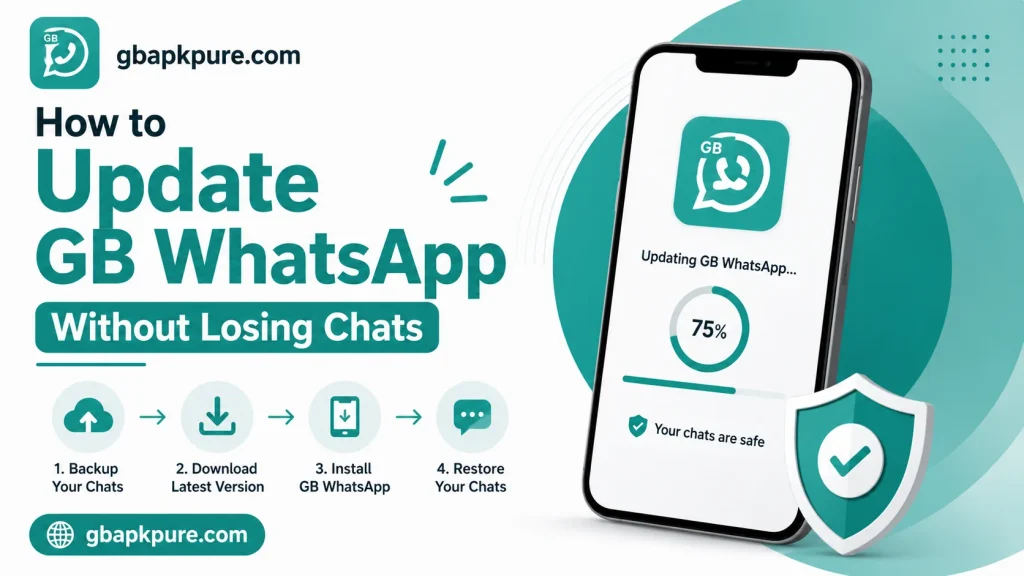
The single most important step before any update is to back up your chats. This is a simple habit that takes less than a minute and can save you from losing years of conversations if anything goes wrong.
There are two backup options in GB WhatsApp: local and cloud.
|
Backup Type |
Where It Goes |
Best For |
|---|---|---|
|
Local backup |
Internal storage > GBWhatsApp > Databases |
Quick restore on same device |
|
Google Drive backup |
Your Google account |
Restoring on a new device |
To back up locally:
- Open GB WhatsApp
- Tap the three-dot menu in the top right
- Choose “GB WhatsApp” or “More”
- Select “Chat Backup”
- Tap “Back Up Now”
- Wait for the backup to complete
To back up to Google Drive:
- Open GB WhatsApp Settings
- Go to “Chats” then “Chat Backup”
- Tap “Back Up to Google Drive”
- Choose a backup frequency
- Tap “Back Up Now”
The gbapkpure.com team recommends doing both. A local backup is fastest for restores, and a Google Drive backup is essential if you ever switch phones.
How to Update GB WhatsApp Step by Step
Once your backup is safe, updating is straightforward. Follow these steps and you will be on the latest version in minutes.
Step 1: Check Your Current Version
Open GB WhatsApp, go to GB Settings, and look for “App Version” or similar. Make a note of the version number. This helps you confirm that the update is actually newer.
Step 2: Download the Latest Build
Go to gbapkpure.com and find the latest version of GB WhatsApp. The site lists the version number, file size, and changelog for every release. Compare the version on the site with the version installed on your phone. If the site has a newer one, you are ready to update.
Step 3: Enable Unknown Sources
Since GB WhatsApp is not on the Play Store, your phone will ask permission to install the new APK. To grant this:
Step 4: Install the New APK
Locate the downloaded file in your Downloads folder and tap it. The installer will run, and the new version will replace the old one. Because the package name is the same, the update will not delete your chats.
Step 5: Restore and Verify
When GB WhatsApp opens after the update, it will detect your existing chat database. You will be asked if you want to restore from a backup. Choose the most recent one, and your chats will come back exactly as they were.
Step 6: Disable Unknown Sources Again
For ongoing safety, go back to your settings and disable “Install unknown apps” once the update is done. This prevents other apps from installing software without your knowledge.
Common Update Mistakes to Avoid
Even though the process is simple, a few mistakes can cause unnecessary headaches. Here are the most common ones and how to avoid them.
Mistake 1: Skipping the Backup
If something goes wrong during an update — a corrupted file, a power cut, a bad install — your chats are at risk. Always back up first.
Mistake 2: Downloading from the Wrong Site
The internet is full of fake APKs. If you download from a site you have never heard of, you may end up with malware. Stick to trusted sources like gbapkpure.com.
Mistake 3: Installing a Downgrade by Accident
Newer versions of GB WhatsApp sometimes require a database reset, which means they will not recognize older backups. If you are thinking of downgrading to an older build, read the changelog first to make sure your backup will be compatible.
Mistake 4: Forgetting to Disable Unknown Sources
Leaving “Install unknown apps” enabled opens a security gap on your phone. Disable it again once your update is done.
Mistake 5: Ignoring Update Notifications
When gbapkpure.com posts a new version, the app itself will show a notice. Do not dismiss it. Tap it, read the changelog, and update when you can.
How to Schedule Your Updates
Because updates are manual, the easiest way to stay current is to build a small habit around it. The gbapkpure.com team suggests this simple routine:
- Check for updates once every two weeks
- Subscribe to the site’s update feed or Telegram channel if available
- Always back up before updating
- Keep at least one full local backup saved outside the GB WhatsApp folder
This takes only a few minutes a month and ensures you are always running the most secure and stable build.
What to Do If You Lose Chats After an Update
Even with the best preparation, things can occasionally go wrong. If you open GB WhatsApp after an update and find that your chats are gone, do not panic. Try these steps in order:
If you have kept a backup outside the GB WhatsApp folder as recommended, you can copy it back in before launching the app. This is why the gbapkpure.com team always recommends keeping an extra copy of your backup in a safe location.
How Often New Versions Are Released
The GB WhatsApp development team follows a regular release schedule. Major versions with new features come out every few months, while smaller bug fix and security releases appear more frequently. Hotfixes for urgent issues can ship within days of a problem being identified.
The typical release cadence looks like this:
- Major version: every 3 to 4 months
- Minor version: every 4 to 6 weeks
- Hotfix: as needed
- Anti-ban update: within hours of major WhatsApp server changes
Because the schedule is so active, the gbapkpure.com team recommends checking the site every two weeks. The site’s update feed will also let you know when a new build is available, so you never miss an important release.
When You Should Wait Before Updating
While the gbapkpure.com team generally recommends staying current, there are a few cases where waiting a few days is wise.
- Right after a major release: give the community 48 to 72 hours to test and report any bugs
- If you have an important work chat: do not update right before a critical conversation
- If your device is acting up: troubleshoot your device first, then update
- If you rely on a specific theme: check the changelog to see if the theme engine has changed
A small amount of caution goes a long way. The gbapkpure.com site always includes a release notes summary, so you can make an informed decision before installing.
Frequently Asked Questions
No, updates do not delete chats as long as you back up first and use the same package name during installation.
No, the new APK replaces the existing one. Uninstalling first will delete your data.
Check for updates every two weeks. The most important updates are anti-ban and security ones, which should be installed as soon as they are released.
Yes, and it is recommended. The APK is around 50 MB, and a Wi-Fi connection is faster and more stable.
You can roll back to the previous version if you have a backup of that build. The site gbapkpure.com keeps older versions available for this reason.
Conclusion
Updating GBWhatsApp is a quick and painless process once you know the right steps. The key takeaways are simple: always back up your chats, always download the update from gbapkpure.com, always verify the version and file size, and always disable unknown sources again after the install. If you make a habit of checking for updates every couple of weeks, you will always be on the most secure and feature-rich version of the app. The 2026 build is the best yet, and staying current is the easiest way to enjoy it fully.